
About Zainly

Zainly is a digital platform that lets you browse services from a single service center, pick a service, book a time with a staff member, pay, and follow your order through completion. Center staff fulfil requests in a dedicated staff app, with an admin dashboard overseeing operations.
Our Services

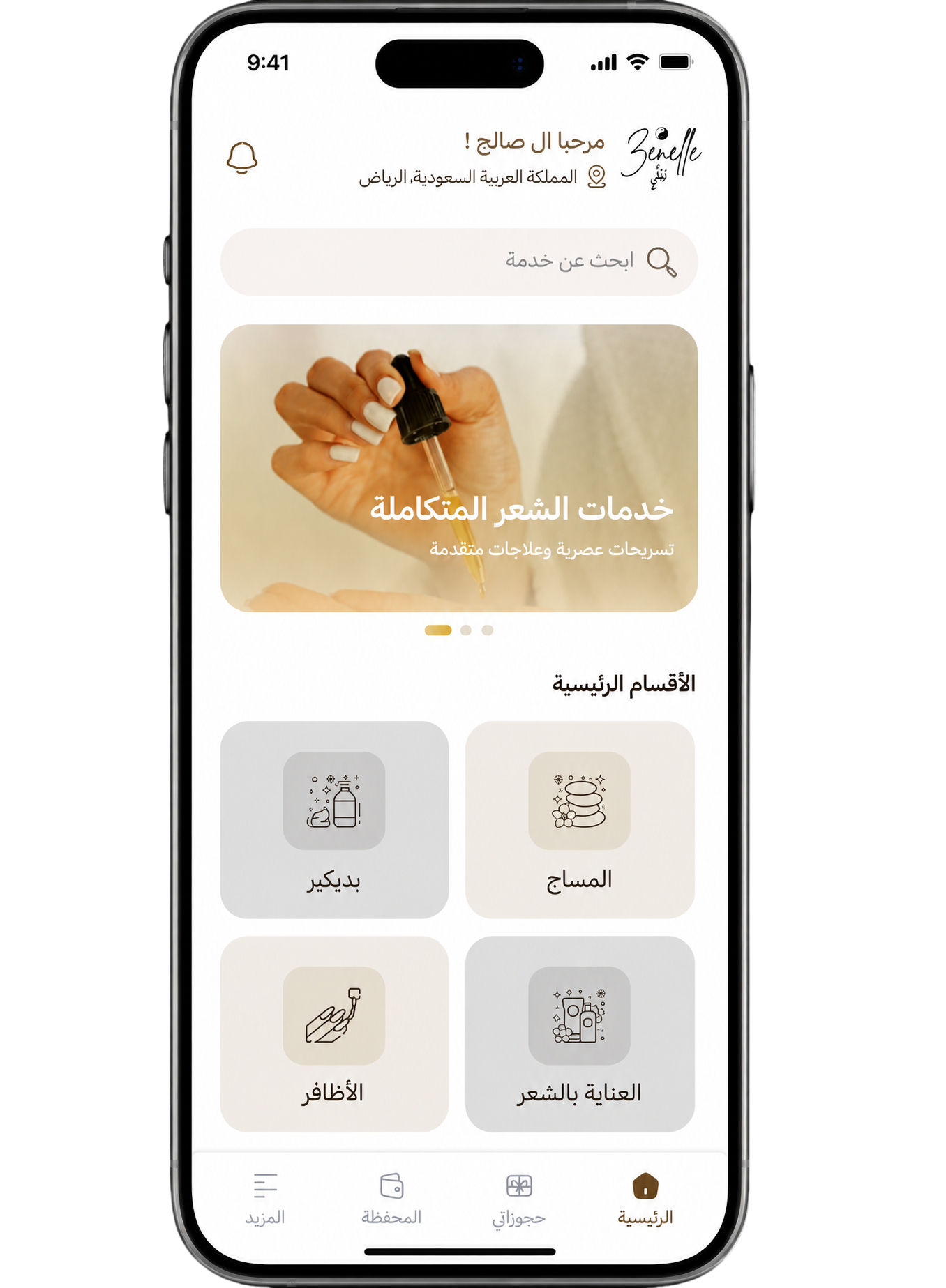
Browse your center’s categories and services with description, price, and duration, then choose staff, date, time, and location (at the center or at your place where supported), and track your booking status.

Browse the center’s services and categories

See available services with price, duration, and description, and move between departments until you find what you need before booking.

Flexible booking with your staff member

Pick a staff member, date, and time from available slots, and choose service at the center or at your location with map pin when needed.

Electronic payment or cash

Complete payment from the booking summary with electronic payment or cash, depending on the center, with slot re-check before confirmation.

Gifts and a digital loyalty card

Send a service as a gift with a voucher delivered by message, and use the loyalty card for free-service rewards after completed orders, per center rules.

Track bookings and rate your visit

Follow order status in My bookings, cancel when policy allows, then rate the staff member after service to help improve quality.

How It Works Zainly

Pick a service, staff member, and slot, review the summary and pay online or in cash as offered, then follow fulfilment stages through completion and rating.

  • Download Zainly and create your account
  • Pick a service and book with a staff member
  • Or gift a service — they get a link or code and finish booking in the app

FAQs

Learn about sign-up and verification, booking, payment and cancellation, the loyalty card, gift vouchers, and order tracking in our FAQs.

Zainly is a digital platform that lets you browse services from a single service center, pick a service, book a time with a staff member, pay, and follow your order through completion. Center staff fulfil requests in a dedicated staff app, with an admin dashboard overseeing operations.
Downloading Zainly and creating an account is typically free. You pay when you confirm a booking, based on the service details and payment method you select on the booking summary.
Orders move through clear stages (new, scheduled, in progress, completed, cancelled) and you can track them under My bookings. After the service you can rate the staff member; ratings help improve quality and are available to the admin team.
The customer app is for browsing services, booking, paying, tracking orders, gifts, and the loyalty card. The staff app is for receiving and fulfilling center-assigned orders on a work schedule; it is not used to book services as a customer.
Download the app from the store, create an account or sign in with your mobile number and complete verification when prompted (e.g. OTP). On first launch you see intro screens, and you can set the interface language from the login screen or settings.
From home, pick a department or service, review details, price, and duration, then tap Book. Choose a staff member, date, and an available time slot, and select where the service takes place (at the center or at your location with map pin if needed), then go to the booking summary and payment.
At payment you can choose electronic payment or cash, depending on what the center offers. If the booking hold expires before you pay, you may see a message such as: “Booking time expired, please try again.” Other messages may appear if payment fails, is cancelled at the gateway, or the slot is no longer available.
You can buy a service as a gift by entering recipient details and paying; the recipient gets a link or code by message. They open it in the app, tap Use gift, and complete booking (staff, date, time, location). On confirmation the voucher applies once and is not redeemable for cash; validity is set by the admin.
A digital loyalty card is created for your account. Each successfully completed order increases your completed-service counter; after a set number of orders you receive a free service per tiers configured by admin. The free service applies to the current order, cannot be carried over or exchanged for money, and you cannot stack multiple free rewards in one order.
Under My bookings, orders appear as new, scheduled, in progress, completed, or cancelled. Open an order for service, appointment, staff, total, and status. Cancellation follows the center’s policy, often for new or scheduled orders, and you may see a message if you try to cancel after execution has started.
From profile and settings you can update name, email, and default address when enabled, change mobile number or password, pick the interface language (defaults to the device language when supported), and turn notifications on or off.
You cannot delete your account while you have active or scheduled orders. If you have a wallet balance, a confirmation prompt may appear; to proceed with deletion while funds remain, contact admin to settle the wallet outside the app.

Success Partners

Our certified partners rely on Zainly to coordinate appointments and receive and fulfil orders digitally.

Contact Us

Reach us by email or WhatsApp for support, inquiries, or partnerships.